KeyMagnet is a thrilling arcade typing game that blends classic pinball and brick-breaking action with keyboard learning. Players control two flippers at the bottom of the neon-lit space arena and keep the ball in play by pressing the correct letter keys — F and J for the left and right flippers. As the ball ricochets across the playfield it smashes through rows of lettered bricks, earning points and clearing the board. The faster and more accurately you type, the longer you survive and the higher you score.
KeyMagnet is built around the most important keys on the keyboard: the home row. The game highlights the F and J anchor keys — the two keys your index fingers rest on — and gradually introduces the surrounding keys A, S, D and K, L as bricks to break. This progressive approach mirrors the touch-typing method used in professional typing courses, letting players internalise correct finger placement without even realising they are learning. Every rally of the pinball reinforces muscle memory in a natural, pressure-free way.
Play KeyMagnetThe game wraps its educational core in a vibrant retro-arcade skin: glowing neon borders, a starfield space backdrop, astronauts, rockets, and coloured magnet targets floating above the playfield. Score multipliers, tilt warnings, brick counters, and level indicators keep every session exciting and competitive. The spectacle keeps children and adults equally engaged, making KeyMagnet as fun to watch as it is to play.
KeyMagnet is suitable for classrooms, homework sessions, or independent practice at home. Teachers can use it as a warm-up activity to get students' fingers on the home row before a typing lesson, while parents will appreciate that it is entertaining enough to hold a child's attention for a full practice session. With our Typing Tutor App, educators can track student progress and incorporate KeyMagnet into structured keyboarding curricula.
Research consistently shows that game-based keyboard practice outperforms rote drills for engagement and retention. KeyMagnet leverages this by giving players an immediate, physical reason to press the right key — the flipper only fires when the correct key is hit, so every mistake costs a ball and every accurate keystroke pays off visually and acoustically. This tight feedback loop builds typing speed, accuracy, and reaction time simultaneously, making KeyMagnet one of the most efficient ways to learn the home row keys.
Whether you are a first-time typist hunting for the right keys or an intermediate learner looking to sharpen speed and reflexes, KeyMagnet provides a structured yet electrifying path to keyboard mastery. It combines proven home-row pedagogy with the instant gratification of arcade gameplay, making it a standout choice for learners of all ages.
Are you looking for a fun and engaging way to improve your typing speed and accuracy? You've come to the right place! At TypingMaster, we believe that learning should be enjoyable, which is why we incorporate interactive elements and typewriting games into our comprehensive typing solutions. For over 25 years, we've been helping tens of millions of users worldwide become proficient typists, and we know that a gamified approach makes all the difference.
Whether you're a beginner just starting your touch typing journey or an experienced typist looking to boost your words per minute (WPM), our range of tools and keyboarding online games are designed to make the learning process effective and entertaining. Forget boring drills — get ready to challenge yourself and see real improvement!
Play KeyMagnetAt TypingMaster, we've integrated these benefits into our core products, ensuring that every lesson and practice session feels less like work and more like play.
Our methodology is rooted in educational psychology, understanding that active learning and positive reinforcement are key to skill acquisition. By turning typing exercises into typewriting games, we tap into your natural desire for achievement and competition. This approach is evident in our flagship product, TypingMagic 12, which uses an adaptive learning curve to tailor lessons to your individual needs, ensuring you're always challenged but never overwhelmed.
For example, if TypingMeter, our real-time typing analysis widget, identifies a specific key or finger as a weak spot, TypingMagic 12 will automatically generate customized exercises focusing on those areas. This intelligent adaptation, combined with game-like drills, makes for a highly efficient and personalized learning experience.
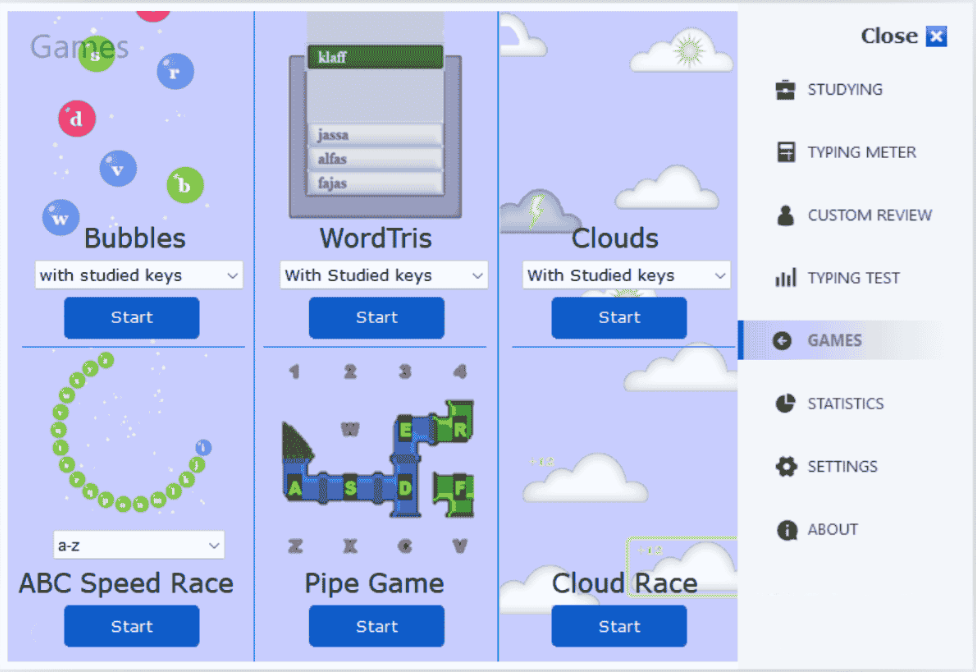
Our flagship TypingMagic 12 (Touch Typing Tutor Software for Windows) isn't just a tutor; it's an interactive journey. It includes a variety of gamified lessons and practice exercises that make learning touch typing an enjoyable experience. You'll find:
TypingMagic 12 supports multiple languages and keyboard layouts and offers courses from beginner to advanced levels, including specialized training for numbers and special characters. A free 1-week course is available for new users.
Play KeyMagnetWithin TypingMagic 12, we feature KeyMagnet, an arcade pinball typing game where you smash lettered bricks by pressing the correct keys to keep the ball in play. It's an exhilarating way to practice home-row finger placement and key reaction time in a high-energy, neon-lit space arena.
Our Online Typing Simulator gamifies the comparison between hunt-and-peck typing and touch typing. It visually demonstrates the speed and efficiency gains you can achieve, motivating learners to commit to proper touch typing.
TypingMaster also offers tools for real-world skill assessment and education:
Speaking & Reading Speed Tests: Fun Tools to measure overall communication speed and comprehension.Here's how you can begin:
The average typing speed is around 40 WPM, but with practice, especially using typewriting games, many users achieve 60–80+ WPM. Typing faster saves time, reduces strain, and makes digital communication more fluent.
| Skill | Average WPM | Achievable WPM with Practice |
|---|---|---|
| Typing | 40 | 60–80+ |
| Speaking | 150–160 | 170+ |
| Reading | 200–250 | 300+ |
KeyMagnet is excellent for beginners because it focuses entirely on the home row keys — the foundation of touch typing — in a fun arcade format that makes repetitive practice feel effortless.
They provide repetitive, engaging practice that builds muscle memory, improves reaction time, and gives instant feedback.
Yes. KeyMagnet is available to play free online above. TypingMagic 12 also offers a free 1-week course with access to KeyMagnet and other gamified lessons. The Online Typing Simulator is also free.
Yes. Ultimate Version includes fun activities and a 7-day free trial for K-12 institutions.
TypingMagic 12 supports QWERTY, AZERTY, QWERTZ, and multilingual courses.
Many users improve significantly within weeks of consistent practice. For example, TypingMagic 11 users often reach 55 WPM in under a month.
Play KeyMagnet